Claude Code vs Cursor: Where Opus 4.5 (and Other Models) Are Actually Better
When AI first came in, I was copy-pasting code into ChatGPT.
Asking it to debug things.
Asking it to explain errors.
That already felt like a big step forward back then.
Then Cursor hit.
Suddenly the AI lived inside the editor.
It knew my files.
It edited code in place.
It felt like magic.
Quick sneak peek before we go deeper: subjectively, Claude Code with Opus feels far better than most alternatives. Even Cursor with Opus 4.5 selected. Opus in Claude Code is stronger with edge cases, overall logic, and big-picture reasoning. It's also surprisingly good at generating visuals—icons, small UI ideas, even animation concepts.
The tradeoff? It's very forward-thinking. Sometimes too forward-thinking. Backward compatibility can get missed unless you're explicit. Cursor, especially with the default Sonnet 4.5 model, tends to be more conservative and often flags compatibility concerns on its own.
That's subjective, though.
Let's talk about what's actually different under the hood.
Claude in Cursor vs Claude in Terminal: What Actually Differs
Even when the base model name looks the same, the experience is not.
Cursor, as a VS Code integration, adds a lot of invisible scaffolding:
- IDE-aware context from open files and diffs
- Smart context selection to decide what to send
- Agent-style prompting behind the scenes
- Code-edit optimizations for refactors and inline fixes
So "Opus 4.5 in Cursor" is really Opus plus Cursor's orchestration layer.
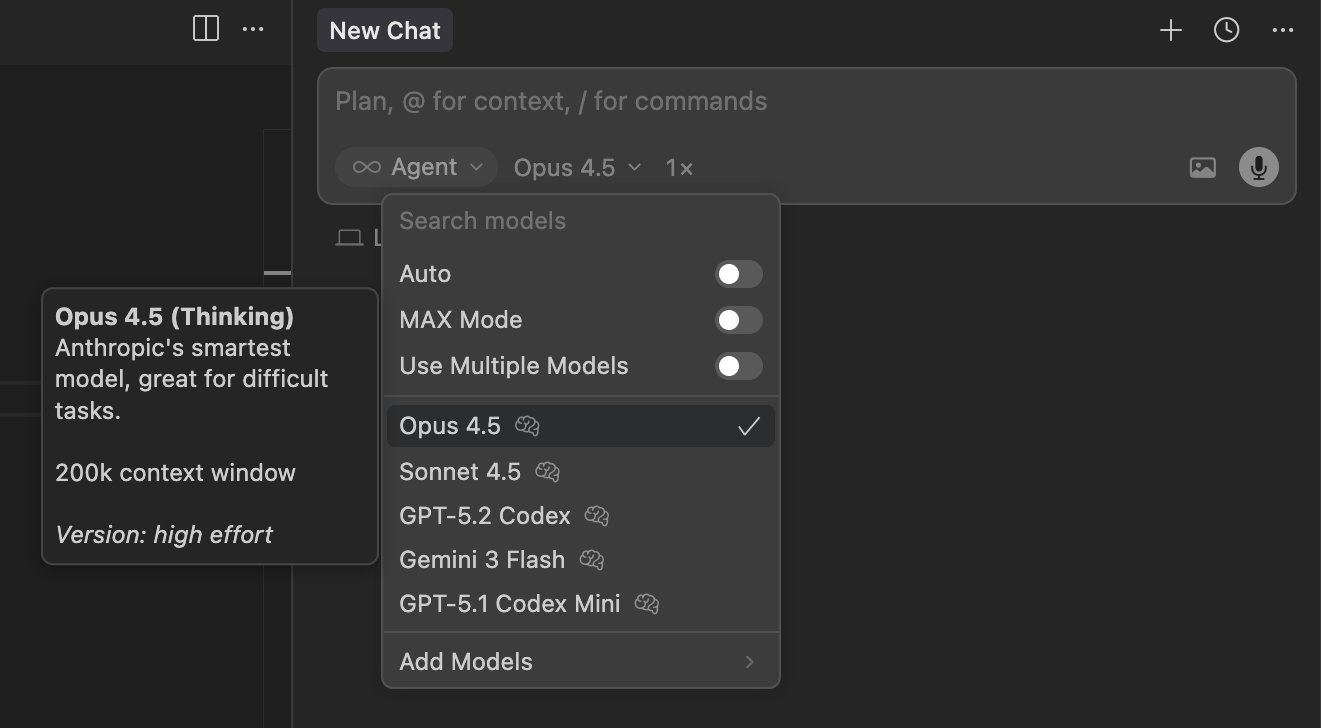
Opus 4.5 in Cursor: model selection with IDE integration
Claude Code in the terminal is a very different beast:
- Raw model access
- No automatic awareness of your repo
- No IDE feedback loop
- Behavior driven by your prompt, limits, and tooling
In other words, "Opus in terminal" is just the model.
No guard rails. No helpers. No babysitting.
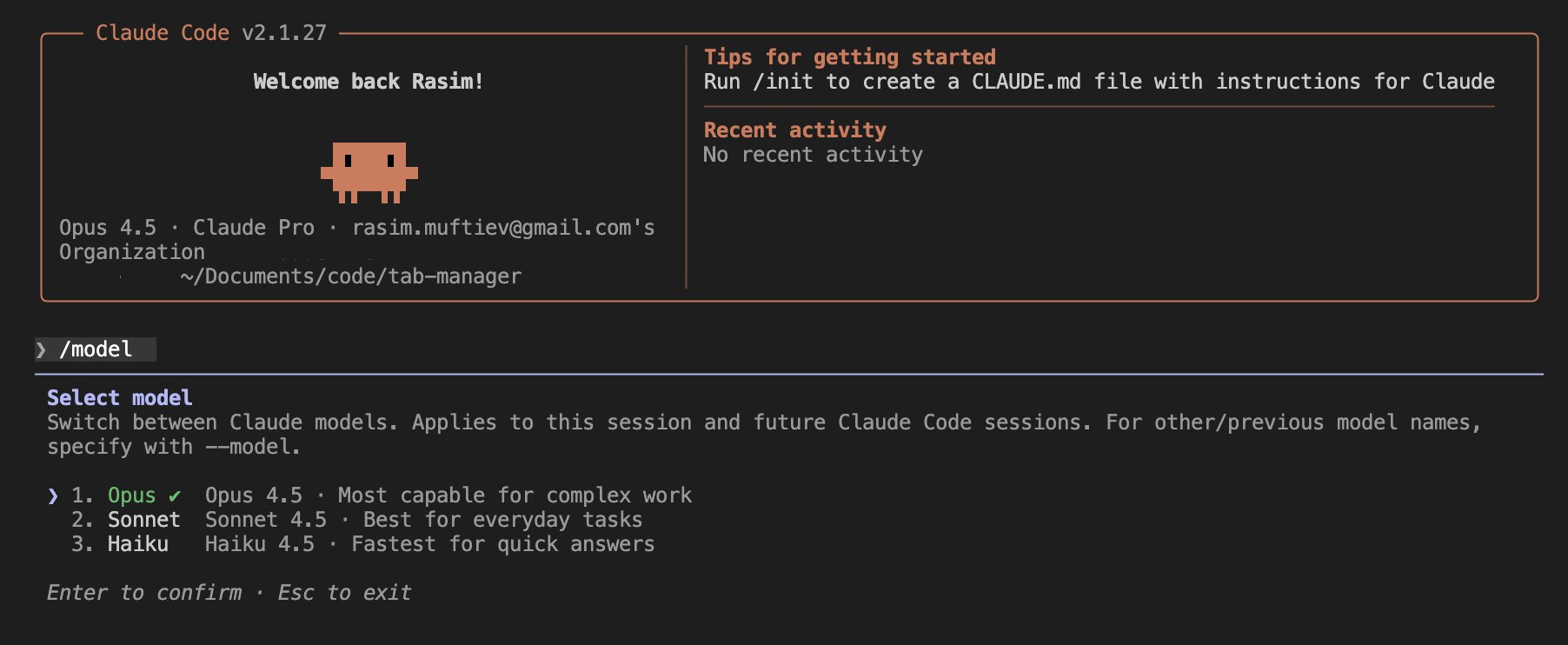
Claude Code: raw model access in terminal
That difference alone explains a lot of the confusion people have.
Why People Feel Opus Is Worse in Claude Code (At First)
There's a recurring complaint online that Opus "performs worse" in Claude Code than in Cursor. Same model. Same prompt. Different results.
What's usually happening is workflow mismatch.
Cursor indexes your codebase ahead of time.
It behaves a bit like RAG.
Targeted bug fixes are fast because the model is pointed at exactly the right chunks.
Claude Code doesn't index anything by default.
It reads files live.
Every time.
On small, well-scoped bugs, Cursor can feel instant.
Claude Code can feel like it's "thinking" forever.
But that's not the full story.
Where Claude Code Actually Wins
Once you adapt your workflow, the picture flips.
Claude Code is built with Claude in mind from the ground up. The scaffolding is lighter, but the reasoning depth is much higher. It doesn't rely on stale indexes. It always works off what's actually there.
This matters more as systems grow.
On complex codebases:
- Cursor's index grows
- Search space increases
- Chunking errors creep in
- The model starts hallucinating structure
That's when Cursor quietly degrades.
Claude Code avoids that entire class of problems. You guide it to the files you care about. You control the scope. It reasons globally instead of heuristically.
For architectural work, deep refactors, or "why does this system behave this way" questions, Claude Code with Opus consistently outperforms Cursor.
Simple codebase? Cursor is great.
Complex system? Claude Code absolutely takes over.
Opus vs Sonnet vs Others: A Quick, Practical Comparison
Not all models behave the same in coding contexts. Here's a short, practical snapshot.
- Claude 4.5 Opus
Strongest at reasoning, edge cases, architecture, and planning. - Claude 4.5 Sonnet
More conservative. Faster. Better at incremental changes and compatibility. - Cursor Composer 1
Good defaults. Strong orchestration. Depends heavily on indexing quality. - Gemini 3 Flash
Fast. Cheap. Good for utilities and helpers, weaker on deep logic. - Gemini 3 Pro
Better reasoning than Flash, still inconsistent with large refactors. - GPT-5.2
Solid all-rounder. Predictable. Less opinionated. - GPT-5.2 Codex
More code-focused. Safer changes. Less creative. - Grok Code
Interesting ideas. Inconsistent execution. Still maturing.
None of these are "the best" universally. They shine in different situations.
Choosing the Right Tool Depends on the Job
This is where most comparisons go wrong.
Cursor is excellent when:
- You want fast, targeted fixes
- The codebase is small to medium
- You prefer AI to drive edits
Claude Code shines when:
- The system is complex
- You need architectural clarity
- You want the model to reason, not guess
Opus, especially in Claude Code, rewards deliberate workflows.
You don't spray prompts.
You guide it.
Final Thoughts
There's no winner here.
There's only fit.
Cursor feels magical when it works.
Claude Code feels powerful once you learn how to work with it.
If you treat AI like autocomplete, Cursor will feel better.
If you treat AI like a thinking partner, Claude Code with Opus starts to shine.
At the end of the day, it's your choice. Tools shape how you think, and different tools encourage different habits.